The report
What is in the report?
Seven A4 pages, charts first. These are from the sample report for a fictional client, Alex, made from the notice of assessment alone.
Sample from the notice alone (PDF) · The same client with salary, deductions, a rental, super and a home loan added (PDF)
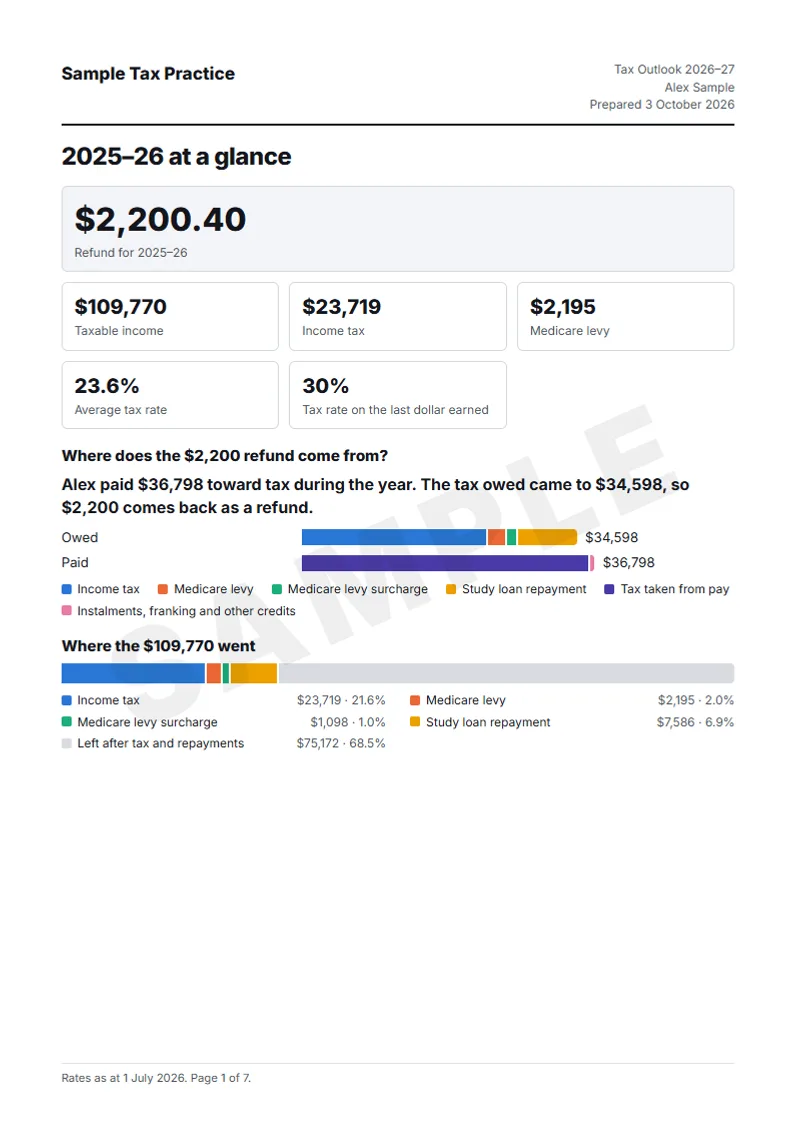
- 2025–26 at a glance The refund or tax payable, how taxable income was worked out, and where the income went.
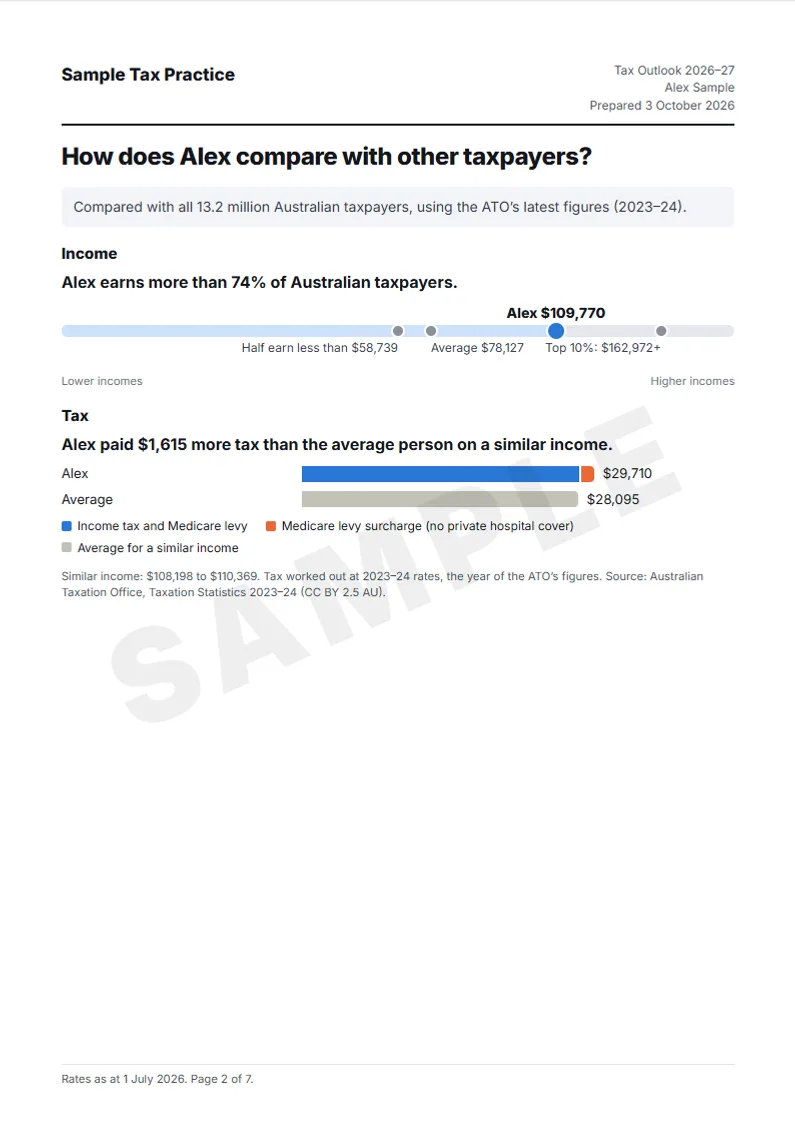
- How does Alex compare with other taxpayers? Where the income sits among all Australian taxpayers, and the tax against the average at a similar income; deductions too, if you choose. From the ATO’s taxation statistics.
- How does Alex compare with people on a similar income? How many people on a similar income have hospital cover, a rental property or a study loan, where the super balance sits, and any unused super cap.
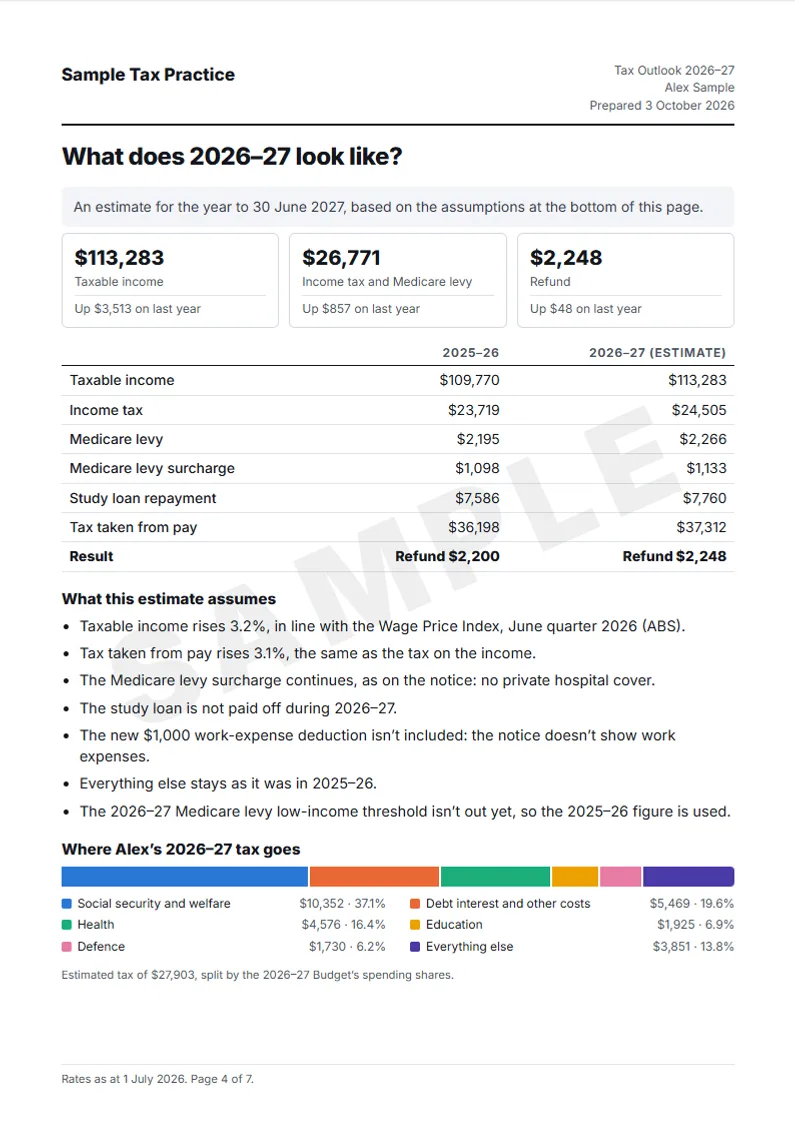
- What does 2026–27 look like? The same figures at 2026–27 rates, the assumptions behind the estimate, and where the tax goes in the Budget.
- What if… What a rental loss does to the tax and, for a client paying the surcharge, the surcharge against the cheapest hospital cover in the state.
- How much could Alex borrow? The six-times-income line, a lender’s serviceability test, the average new home loan, and, when a loan is entered, interest at different rates.
- Tax rates and thresholds for 2026–27 The brackets, where the client sits against each threshold, and the key dates.